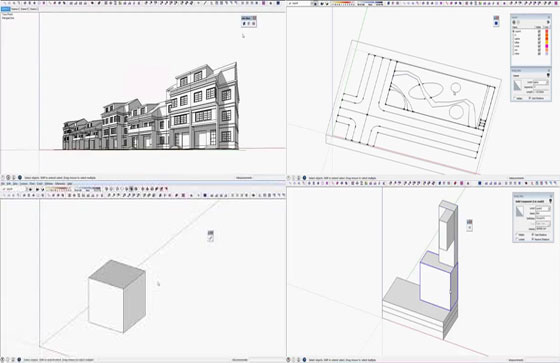
Download s4u sketchup extensions series from extension warehouse
Suforyou develops a series of s4u extensions for sketchup. Given below detailed descriptions of these plugins :-
s4u Slice 3.0: This sketchup extension supports sketchup 8, sketchup 2013, sketchup 2014 and sketchup 2015. The sketchup users can apply this sketchup extension to slice, cut and detach objects as well as arrange plane with 2 points or 3 points and insert section faces.
s4u Import DXF 1.0: It is compatible with SketchUp 8, SketchUp 2013, SketchUp 2014, SketchUp 2015. This sketchup extension can be used to import DXF file follow segment number involving Mline,Ellipse,Spline,Polyline,Circle,Arc,Line,3dface.
s4u LineTool 1.0: This sketchup extension is well matched with SketchUp 8, SketchUp 2013, SketchUp 2014 and SketchUp 2015. The sketchup users can utilize it to sketch line from 2 points as well as input length through easy to use function like + ,-,*,/ and snap points with 1/3 Line ,2/3 Line , Center Face.
s4u Make Box 1.0: s4u Make Box for sketchup is well suited SketchUp 8, SketchUp 2013, SketchUp 2014, SketchUp 2015. This sketchup extension is useful for creating box out of select 4 points. : Select 3 points+ input height - select 3 points+ last height (Enter). Input length through easy to use function like + ,-,*,/ as well as snap points: 1/3 Line ,2/3 Line , Center Face.
Once the Assistant opens, say or "Open Chrome." Turn off TalkBack by holding the volume keys again. Step 2: Navigate to the Galaxy Store
on a PC to send a "Launch Browser" or "Launch Galaxy Store" command to the device via USB. Alternatively, some users use the TalkBack "L" gesture or emergency call shortcuts to open the browser and navigate to a bypass site that hosts a direct link to the Galaxy Store Sign in with a Samsung Account
The system will redirect you, launching the official Samsung Galaxy Store application. Agree to any initial terms and update the store if prompted. Note: If the Galaxy Store updates, it may close out. Simply repeat the TalkBack process to reopen it. Step 3: Install Alliance Shield X or S9 Launcher open galaxy store frp bypass verified
Advance to the Wi-Fi setup screen and connect to a strong Wi-Fi network.
Connect your locked Samsung phone to the computer using a USB cable. Step 2: Send the Galaxy Store Command Ensure your phone is on the initial "Welcome" screen. Once the Assistant opens, say or "Open Chrome
FRP exists to protect device owners and their data. If you legitimately need access to an FRP-locked Galaxy device, pursue account recovery, contact Samsung/Google support, or visit an authorized service center with proof of ownership. Avoid “verified” bypass tools marketed online; they often carry legal, security, and reliability risks.
: The goal is to trigger an action (like a "Share" or "Help" menu) that allows a user to open a web browser or the Samsung Galaxy Store before the phone is fully set up. The "Verified" Part Agree to any initial terms and update the store if prompted
Here’s what the method actually was—stripped of the hype:
To find verified methods for your specific device and software version, I recommend checking the following resources:
Launch the app and search for "Android Setup" or "Google Play Services". Disable these services to bypass the lock screen. Troubleshooting: Why "Open Galaxy Store" Might Fail
All right reserved. All site content copyright
Site Developed by Global Associates